The short answer: there are two ways to connect WhatsApp to Odoo CRM. Odoo's own WhatsApp app links a WhatsApp Business Account to Odoo through the WhatsApp Business API, but it is Enterprise-only. A custom integration on Meta's WhatsApp Cloud API receives each message on a webhook, applies your rules, and creates and updates leads through Odoo's external API, which also works with Community on your own server. Pick by edition, hosting plan and how much of the conversation you want answered automatically.
The two routes
| Odoo's WhatsApp app | Custom integration on the Cloud API | |
|---|---|---|
| Odoo edition | Enterprise only: "does not work in Odoo Community edition" (Odoo) | Community or Enterprise, through Odoo's external API |
| Hosting | Enterprise databases; check what your Odoo plan includes | Your own server or Odoo.sh; on Odoo Online, only the Custom plan opens the external API (Odoo) |
| What it does | Connects a WhatsApp Business Account to Odoo, with message templates approved by WhatsApp | Whatever you build: rules, an AI assistant, lead qualification, hand-over and approvals in Odoo |
| Who maintains it | Odoo | You, or the partner who built it |
If your team mainly wants to send templates and talk to customers from Odoo records, start with Odoo's app. If you want leads created and qualified automatically, an assistant that answers within your rules, or you run Community, you need the custom route. The rest of this guide covers that route.
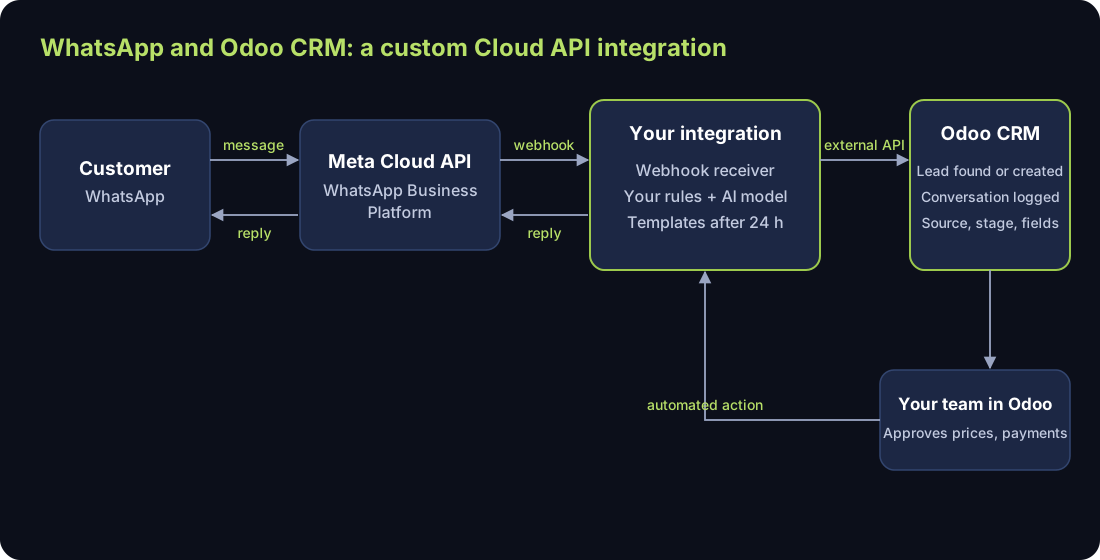
1. Set up on Meta's side
You need a WhatsApp Business Account and a phone number on the WhatsApp Business Platform. Meta's Cloud API delivers every incoming message to your webhook and sends your replies (Meta: Cloud API overview). Get your Arabic and English templates approved early: outside the 24-hour customer service window, templates are the only messages you can send (Meta: templates).
2. Receive messages on a webhook
Your service receives each message, checks that the request is genuine before trusting it, and answers the webhook quickly. Do the slower work (the AI reply, the Odoo writes) after acknowledging, so a slow step never makes a message go missing.
3. Find or create the lead in Odoo
Look the customer up by phone number first, then by email if you have it. Create a lead only when nothing matches, with the source set (WhatsApp, or the campaign the chat came from) so Odoo's reports can attribute it later (Odoo). Store the customer's WhatsApp number on the lead so replies always go back to the right chat.
Use the current API. In Odoo 20 the external API is JSON-2. Odoo marks the old XML-RPC and JSON-RPC endpoints as deprecated and says they are "scheduled for removal in Odoo 22 (fall 2028) and Online 21.1 (winter 2027)" (Odoo). A new integration should start on JSON-2.
4. Reply within your rules
Whether a person or an AI assistant answers, the rules are the same: answer only from approved facts (services, prices, hours, policies), never invent a price or an availability, and hand anything else to a person. Inside the 24-hour window you can reply freely; after it, only an approved template (Meta).
5. Log the conversation on the lead
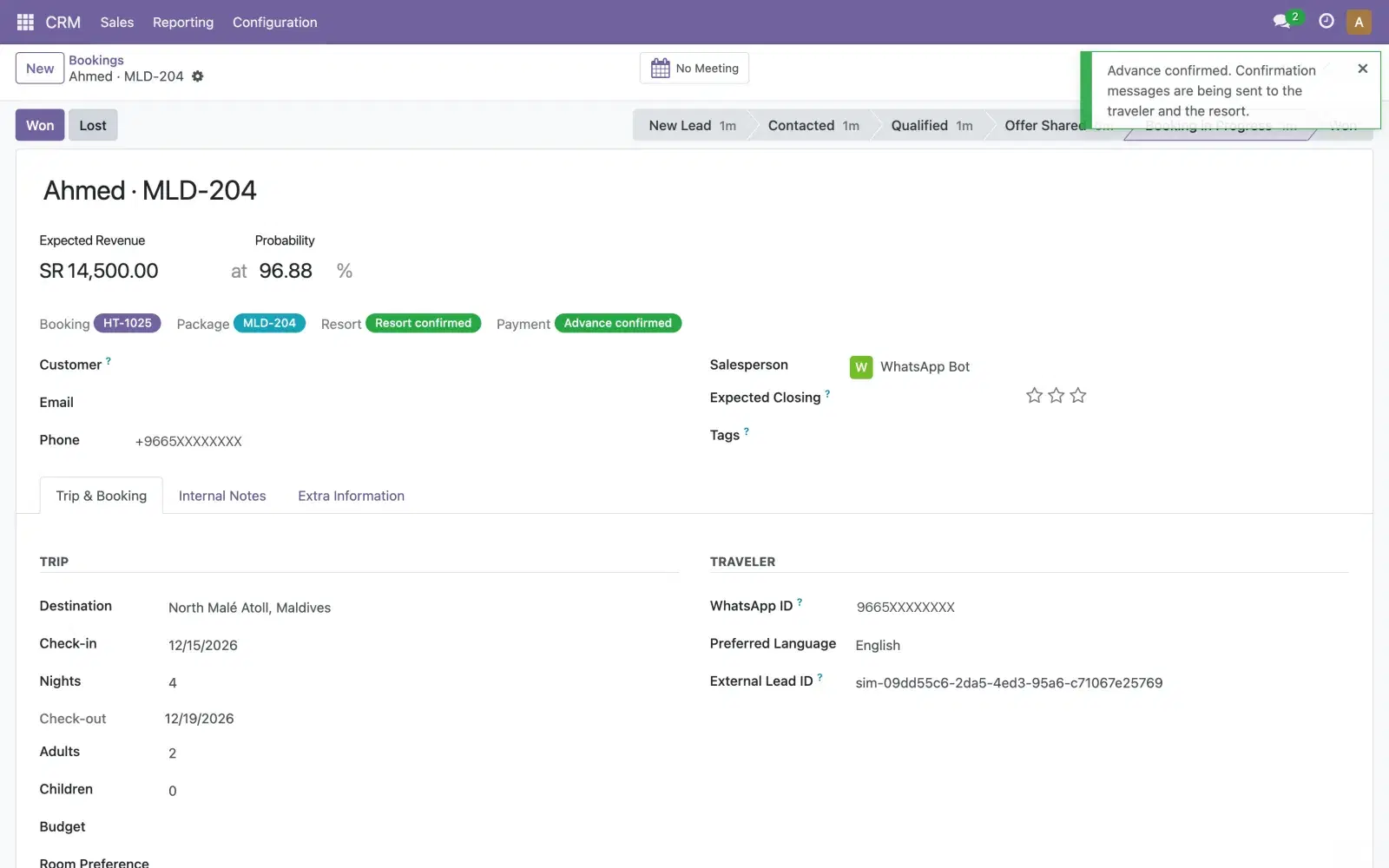
Post each incoming message and each reply to the lead's history in Odoo, and write qualifying answers (dates, quantities, budget, location) into lead fields as they arrive. Whoever opens the lead then sees the whole conversation, and every reply the assistant sent is on record.
6. Let actions in Odoo send the next message
The hand-over works best when your team stays in Odoo. A person confirms a payment or approves a price on the lead; an automated action in Odoo tells your service; the service sends the next WhatsApp message. Nobody copies details between WhatsApp and the CRM.
Security and access
- Give the integration its own Odoo user with only the CRM rights it needs, and its own API key.
- Keep customer records in Odoo; send the AI model only the conversation and the approved facts, never fields you mark confidential.
- Log what the integration did, so you can answer a customer's question about their data. The pillar guide covers the Saudi and UAE data protection laws that apply.
Where Mantiqi fits
Our AI Lead Desk is this custom route, built around each business: WhatsApp on Meta's official Cloud API, leads created and filled in Odoo CRM, your rules applied to every reply, and approvals in Odoo that send the next messages. For ad sign-ups, see Lead Ads into Odoo CRM.