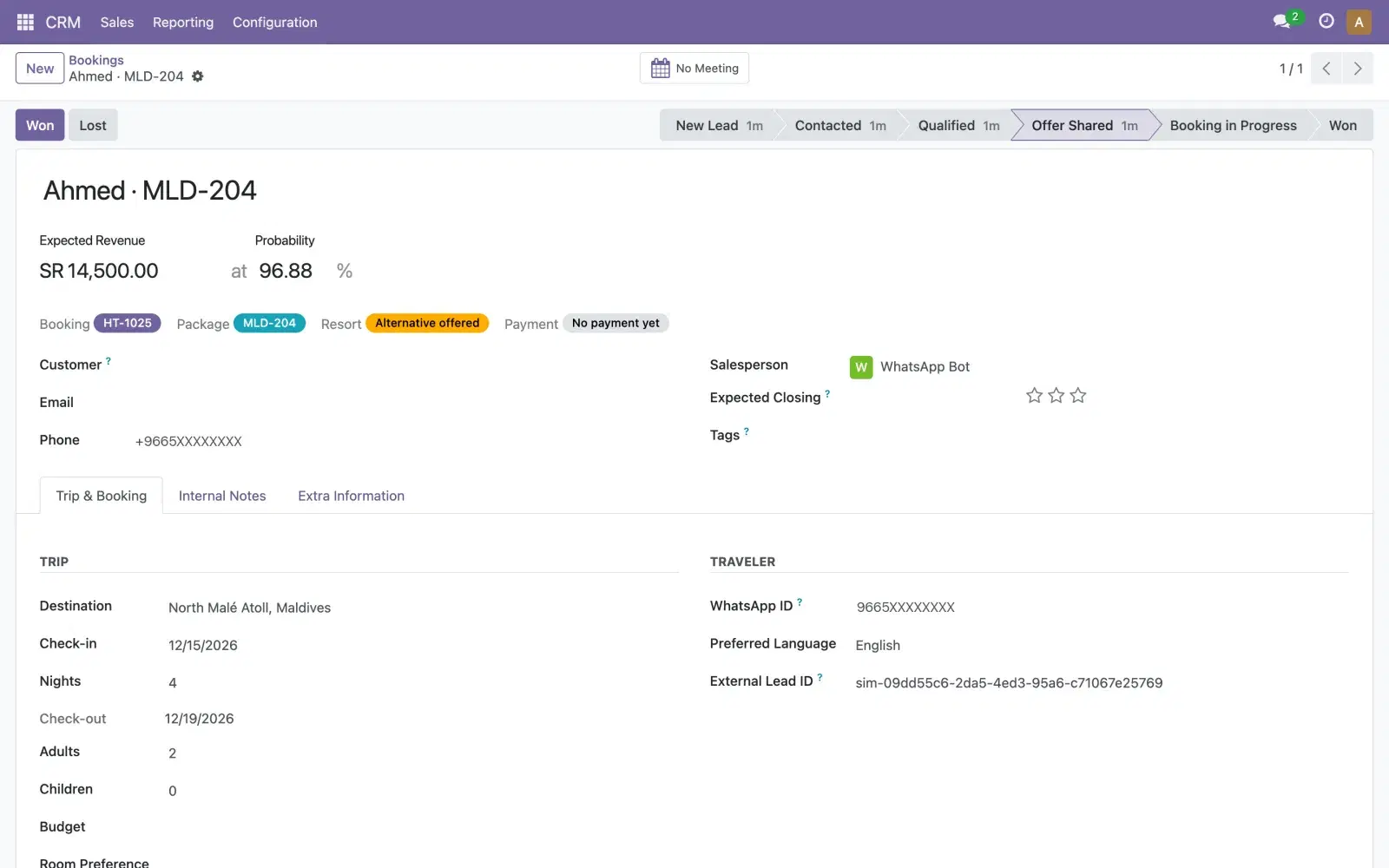
The short answer: a lead ad's answers can reach Odoo CRM as soon as someone submits the form. Meta sends a webhook with the lead's ID, your integration fetches the answers with the leads_retrieval permission, and it creates the Odoo lead with its campaign. If the form asked for consent to WhatsApp, the first WhatsApp message can follow straight away, but it has to be a template Meta has approved, because the customer hasn't messaged you yet.
Lead ads on Facebook and Instagram collect a name, a phone number and a few answers without the person leaving the app. That convenience has a catch: the lead sits with Meta until someone downloads it or an integration fetches it. This guide walks through the integration, what to map into Odoo, and the WhatsApp rules for the first message.
How Meta delivers a lead
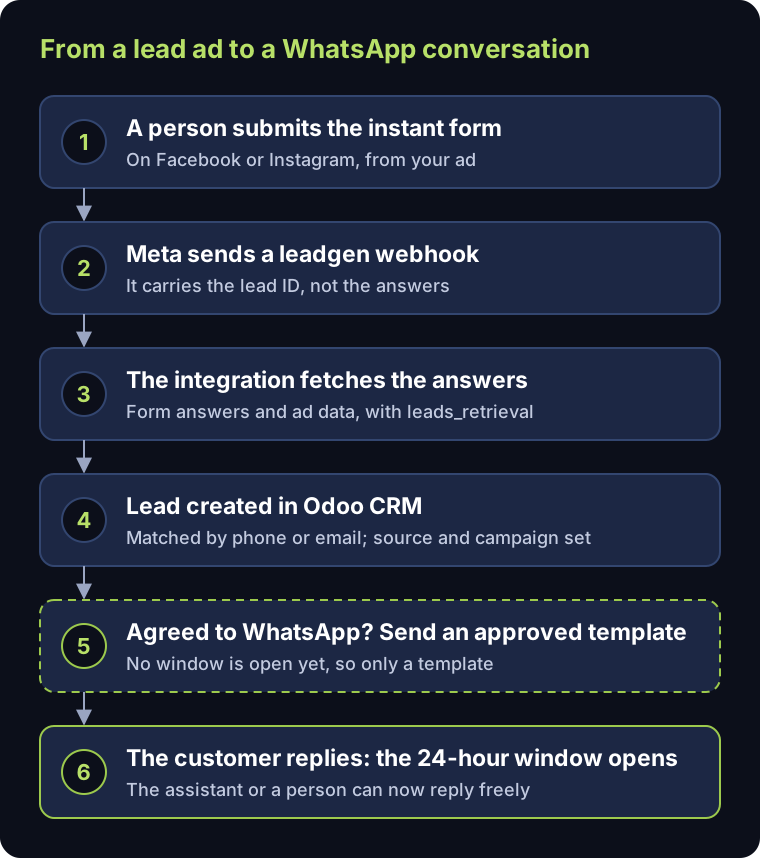
- 1.A person submits the instant form under your ad on Facebook or Instagram.
- 2.Meta sends a webhook for your Page's
leadgenfield. It carries the lead's ID, not the answers (Meta: webhooks for lead ads). - 3.Your integration uses that ID to fetch the form answers, and the ad, ad set and campaign they came from (Meta: retrieving leads).
- 4.It creates or updates the lead in Odoo CRM.
- 5.If the person agreed to hear from you on WhatsApp, it sends the first message.
What you need on Meta's side
- A Meta app subscribed to the Page's
leadgenfield. - The permissions Meta lists for lead webhooks:
leads_retrieval,pages_manage_metadata,pages_show_list,pages_read_engagementandads_management. Meta states plainly that "theleads_retrievalpermission is required to read leads" (Meta). - App Review, when the app reads data for Pages you don't own or manage, and business verification for advanced access (Meta: permissions).
App Review has its own timeline, so start it before the campaign, not the week it launches.
Mapping the lead into Odoo
| From the lead ad | Into the Odoo lead |
|---|---|
| Full name | Contact name |
| Phone number | Phone, in international format (+966…) |
| Your custom questions | The description, or custom fields for answers you filter on |
| Campaign | UTM campaign |
| Facebook or Instagram | UTM source |
| "Lead ad" | UTM medium |
Before creating a lead, look for an existing one with the same phone number or email. A person who fills in your form and then writes to you on WhatsApp should stay one lead. Once source, medium and campaign are on every lead, Odoo's marketing attribution report shows which campaigns bring leads (Odoo).
The first WhatsApp message
Consent comes first. Meta says businesses "are required to obtain opt-in before messaging people on WhatsApp", and the opt-in has to name your business and make clear that the person will receive messages from it (Meta: get opt-in). Add that consent to the lead form itself, in words your legal team has approved.
Then a template. WhatsApp's 24-hour customer service window starts when the customer messages or calls you. After a form sign-up they haven't done either, so the first message must be a template Meta has approved (Meta: service messages). Every template is categorised as marketing, utility or authentication (Meta: templates), and Meta charges per delivered template message by category and country (Meta: pricing).
Then a conversation. When the customer replies, the window opens, and the AI assistant or a person can answer freely: ask the qualifying questions, quote from approved prices, and write each answer into the Odoo lead.
The other route: ads that open WhatsApp
Instead of a form, an ad can open a WhatsApp chat directly. Then the customer writes first, so the window is already open. Meta's pricing page also describes a free entry point window for these ads, for customers on Android and iOS: after the business replies, it "may remain open for up to 7 days", during which Meta does not charge for messages (Meta: pricing). The lead still has to be created in Odoo from that first message, with the campaign as its source.
| Lead form ad | Ad that opens WhatsApp | |
|---|---|---|
| Who writes first | Your business | The customer |
| First WhatsApp message | An approved template, with consent | A normal reply |
| Data you get up front | The form's answers | The customer's first message |
Test before you spend on ads
Submit a few test leads and check three things: the lead lands in Odoo with the right source and campaign, the same person isn't created twice, and the template goes out only when the consent box was ticked.
Where Mantiqi fits
In our AI Lead Desk, sign-ups from an ad's landing form that posts straight to the desk are live today: they create the Odoo lead and start the WhatsApp conversation. Syncing Lead Ads straight from Meta's webhook is built for each client, because it runs on the client's own Meta app and review. For how the pieces fit together, see the pillar guide on omnichannel lead management in Odoo CRM.